
Baby & Infant
Infant Passport Photo: How to Get a Compliant 2×2 at Home
Step-by-step guide to infant passport photos for DS-11 applications. Size, background, head position, and how to avoid rejection at the acceptance facility.
Updated May 28, 2026
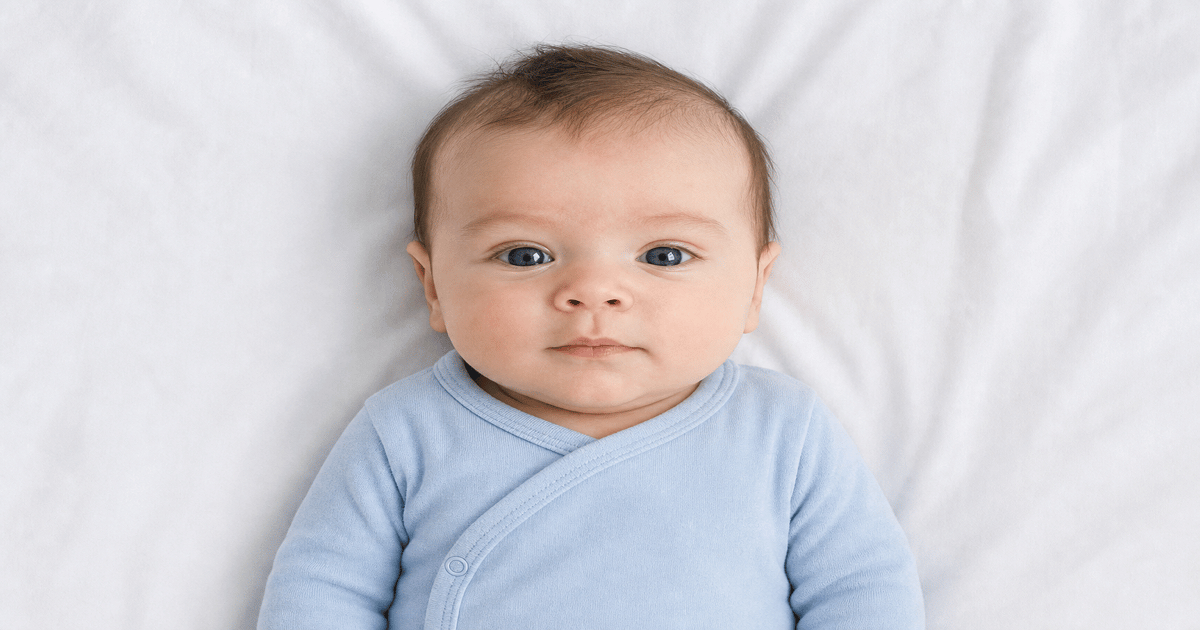
Get your compliant passport photo now
Upload any photo from your phone. We format the background, crop, and sizing to US specs — digital 2×2 file plus 4×6 print sheet in under 60 seconds.
Upload Your Photo →Why infant passport photos fail more often than adult photos
Infants move, cry, and rarely hold a neutral expression. Acceptance facilities reject infant passport photos for the same technical reasons as adult photos — wrong size, off-white background, head too small, or shadows on the face — but parents often discover problems only after paying appointment fees.
The State Department requires a 2×2 inch color photo with a plain white or off-white background. The head must measure between 1 inch and 1⅜ inches from chin to top of hair. For babies under six months, eyes do not need to be fully open, but the face must be visible and unobstructed.
GetPassPhoto is not a government website. We are a paid formatting service with a 100% acceptance guarantee. Upload a home photo and we auto-format background, crop, and sizing to spec for DS-11 first-time passport applications and DS-82 renewals when a new photo is required.
Best setup for photographing your infant at home
Lay your baby on a white crib sheet or place them in a car seat draped with a plain white blanket. Shoot from directly above or slightly in front — never from below. Natural daylight near a window works better than overhead room lighting, which casts shadows under the chin.
Remove hats, headbands, and pacifiers before the shot. Hands should not appear in frame. If another adult gently holds the baby, that person must be completely out of the photo — only the infant's head and shoulders should be visible.
Take 20–30 frames in burst mode. You need one frame where the face is forward-facing, eyes open or reasonably visible, and the mouth closed. For more positioning tips, see our guide on passport photo newborn requirements.
Size and file requirements for infant passport applications
Printed photos must measure exactly 2×2 inches (51×51 mm). Digital submissions for online renewal portals require a minimum of 600×600 pixels at 300 DPI in JPEG format, typically under 240 KB.
Do not resize a photo by stretching it in a phone editor. Cropping without adjusting head size is the most common DIY mistake — the head ends up too small or too large relative to the frame. Our service measures head height automatically and crops to the correct ratio.
If you are submitting DS-11 in person at a passport acceptance facility, bring two identical printed copies unless the facility specifies otherwise. See our guide on 2026 passport photo requirements for the full spec table.
Infant vs. toddler: what changes after six months
Under six months, the State Department allows some flexibility on expression and eye position. After six months, examiners apply stricter standards — eyes should be open, mouth closed, and the child should look at the camera.
Toddlers who can sit upright may be photographed in a high chair with a white backdrop behind them. Avoid busy patterns on clothing near the neckline; a solid-color onesie reduces visual clutter around the face.
For toddlers and older infants, the same head-size rules apply as for adults. If your child's hair is long, pull it back so the full oval of the face and both ears (if visible) are unobstructed.
When to use GetPassPhoto instead of a pharmacy or studio
Pharmacy passport photo counters charge $15–$20 per session and often struggle with squirming infants. A single bad frame means another trip. GetPassPhoto lets you shoot at home when your baby is calm, then formats the best frame to spec in under 60 seconds.
Every order includes a digital 2×2 file ready for online upload and a 4×6 print sheet with six copies arranged for Walgreens, CVS, or home printing. Pricing starts at $14.95 with instant email delivery.
If your photo is rejected by the State Department or an acceptance facility, forward the rejection notice and we issue a full refund. That guarantee applies to infant photos the same as adult photos.
Planning your DS-11 appointment with an infant passport photo
A DS-11 first-time passport application for an infant requires an in-person visit to a passport acceptance facility — a post office, courthouse, library, or clerk's office authorized to witness the application. Most locations require appointments that book one to two weeks out in major metro areas. Schedule the appointment after you have a formatted infant passport photo in hand, not before. Discovering a non-compliant photo at the counter with a fussy baby in the car seat is the scenario every parent wants to avoid.
Both parents or legal guardians with custody rights generally must appear with the infant, though one parent may attend with a notarized consent form from the other in some cases. Bring proof of the child's U.S. citizenship (certified birth certificate), both adults' government-issued photo IDs, the unsigned DS-11 form, passport fees, and at least one printed 2×2 photo. The acceptance agent attaches the photo to the application before forwarding it to the State Department for processing.
GetPassPhoto delivers a digital file and a 4×6 print sheet within 60 seconds of purchase. Print the sheet at a nearby pharmacy for one-hour pickup or at home before your appointment. We are a paid private service — not affiliated with the U.S. government — and our 100% acceptance guarantee covers infant photos formatted through our upload flow.
Printed vs. digital infant passport photos: which you need when
DS-11 first-time applications for infants always require a physical 2×2 inch photo attached to the paper application at the acceptance facility. The acceptance agent staples or clips the photo to the form before mailing the packet. A digital file alone is not sufficient for DS-11 in-person submission, even if the facility has a computer on-site. Bring a printed photo on glossy or matte photo paper, cut to exactly 2×2 inches.
If you later renew that same child's passport by mail using DS-82 when they are older, the online renewal portal accepts a digital 600×600 pixel JPEG instead of a print. One GetPassPhoto order produces both files — the digital JPEG for future online renewals and the 4×6 print sheet for the current DS-11 submission. Store the digital file in a safe folder after your order arrives by email.
Some parents assume the infant passport photo they used for a visa application (DS-160) can substitute for the DS-11 photo. The specs overlap — 2×2 inches, white background, 600×600 pixels — but visa and passport applications are separate submissions. If the photo is more than six months old at passport submission time, take a new one regardless of format.
Common infant passport photo rejection reasons — and how to prevent them
Visible hands are the most frequent infant-specific rejection reason. A parent supporting the baby's head or shoulders sometimes leaves a fingertip in the frame edge. Review every crop at full zoom before uploading. GetPassPhoto's crop algorithm centers the infant's head and shoulders, but the source photo must not include hands or adult arms in the frame to begin with.
Background problems rank second. White crib sheets and blankets look compliant on a phone screen but often show wrinkles, shadows, or cream-colored tones that fail examiner review. Fabric texture reads as a patterned background at print resolution. Background replacement to uniform white — which GetPassPhoto performs on every upload — eliminates this category of rejection without requiring a professional studio backdrop.
Head size errors affect infant photos as often as adult photos. Parents crop tightly on the face to remove a cluttered background, which makes the head too large relative to the 2×2 frame. A wide crop leaves the head too small. The target is 50–69% of frame height measured from chin to top of hair. Our service calculates this measurement automatically and adjusts the crop before you pay, which is why the 100% acceptance guarantee applies to infant passport photo orders the same as adult orders.
Shooting tips that improve your infant passport photo on the first try
Timing matters more than equipment for an infant passport photo. Photograph your baby during a wakeful window after a feeding, when they are content but not drowsy. Avoid sessions right before nap time or during colic episodes — a crying face with mouth wide open fails even under relaxed infant rules. Keep the room warm so you can remove hats and bulky clothing without discomfort. A short-sleeve onesie in a solid light color reduces visual clutter around the neckline without affecting the white background requirement.
Camera settings on modern phones are more than adequate for passport use. Disable portrait mode, night mode, and any beauty or skin-smoothing filters before shooting. These features alter background blur, skin tone, and edge detection in ways that survive export and trigger examiner flags. Use the rear camera at the highest resolution setting. Hold the phone steady with both hands or brace your elbows on a surface. Burst mode — holding the shutter for 10–15 frames — gives you the best chance of capturing a frame where eyes are open and the face is forward-facing.
After shooting, review frames on a larger screen if possible — a laptop or tablet reveals background shadows that a phone thumbnail hides. Select the best two or three candidates and upload your top choice to GetPassPhoto. Preview the formatted infant passport photo before paying. If head size or background still looks wrong, try your second candidate without retaking. Our paid service — not a government site — delivers a compliant digital file and 4×6 print sheet in under 60 seconds, with a full refund if the photo is rejected after submission.
Frequently asked questions
Can my infant's eyes be closed in a passport photo?
For infants under six months, partially closed eyes are sometimes accepted, but fully closed eyes will be rejected. Aim for a frame where eyes are at least partially visible. GetPassPhoto flags obvious issues before you pay.
Does my baby need to be awake for the passport photo?
Yes. Sleeping photos are routinely rejected because the face must be clearly visible with identifiable features. Wait for a calm awake moment rather than photographing a sleeping infant.
How many printed photos do I need for DS-11?
Most acceptance facilities require one printed photo attached to the application form. Bring a spare identical copy in case of handling damage. GetPassPhoto's 4×6 print sheet gives you six identical copies from one order.
Can I use a photo taken with my phone?
Yes. Modern phone cameras exceed the 600×600 pixel minimum. The issue is formatting — background color, head size, and crop — not camera quality. Upload any recent phone photo and we handle the rest.
GetPassPhoto services
Related guides
- Passport Photo for a Newborn: Rules, Tips, and Common Rejections
How to get a compliant passport photo for a newborn under six months. DS-11 requirements, home setup, and when relaxed infant rules apply.
- Infant Passport Photo Near Me: Skip the Pharmacy, Do It at Home
Looking for infant passport photo near me? Home photos formatted online beat pharmacy trips — faster, cheaper, and calmer for your baby.
- How to Make a Passport Photo Online (Compliant in 60 Seconds)
Make a passport photo online from any selfie. Auto-format to 2×2, white background, and correct head size for DS-11, DS-82, and DS-160.
Get your compliant passport photo now
Upload any photo from your phone. We format the background, crop, and sizing to US specs — digital 2×2 file plus 4×6 print sheet in under 60 seconds.
Upload Your Photo →