
How-To
How to Make a Passport Photo Online (Compliant in 60 Seconds)
Make a passport photo online from any selfie. Auto-format to 2×2, white background, and correct head size for DS-11, DS-82, and DS-160.
Updated May 28, 2026
Get your compliant passport photo now
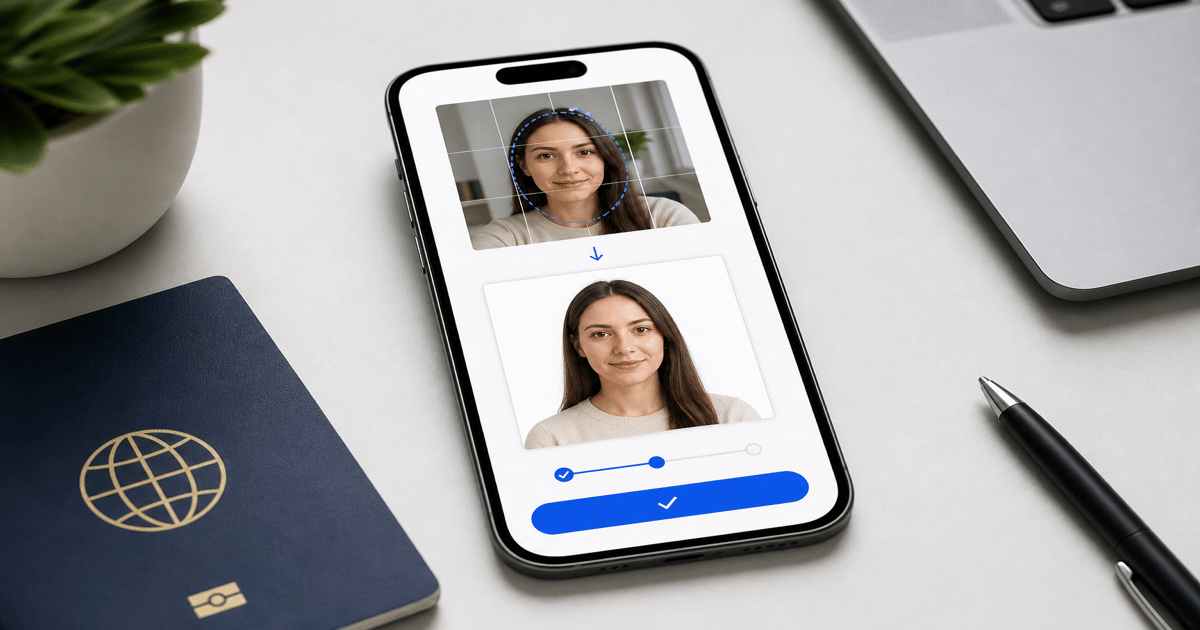
Upload any photo from your phone. We format the background, crop, and sizing to US specs — digital 2×2 file plus 4×6 print sheet in under 60 seconds.
Upload Your Photo →What "make a passport photo online" actually requires
A compliant U.S. passport photo is not just a square crop of your face. The State Department specifies exact dimensions (2×2 inches), background color (plain white or off-white), head size (50–69% of frame height), and file format (JPEG, 600×600 pixels minimum, under 240 KB for most portals).
Online services exist because meeting all of those specs simultaneously in a phone editor is difficult. Background removal, head measurement, and pixel-accurate cropping require tools most people do not have on their phone.
GetPassPhoto is a paid online passport photo service — not a government site. Upload a selfie, we auto-format to spec, and you download a digital file plus a 4×6 print sheet. The process takes under 60 seconds.
Step 1: Take a usable source photo
Stand or sit in front of a plain light-colored wall. Face the camera directly with shoulders squared. Remove glasses unless you wear them daily for medical reasons. Keep your expression neutral and mouth closed.
Hold the phone at eye level — not below your chin and not above your forehead. Arm's length distance works for most adults. Use the rear camera if possible; it produces higher resolution than the front-facing lens.
Avoid direct sunlight behind you (which silhouettes your face) and avoid overhead-only lighting (which creates under-eye shadows). Window light from the side is ideal.
Step 2: Upload and let the service auto-format
At GetPassPhoto, upload your photo at getpassphoto.com/upload. We detect your face, replace the background with compliant white, crop to 2×2 inches at 600×600 pixels, and verify head size falls within the 50–69% range.
You preview the formatted result before paying. If something looks wrong — head too small, hair cut off — retake the source photo rather than forcing a bad upload through.
For a deeper walkthrough of the conversion process, see our guide on how to turn a photo into a passport photo.
Step 3: Download and submit
After payment ($14.95 for a digital file, $16.95 with print sheet), both files arrive by email within 60 seconds. The digital JPEG is ready for DS-82 online renewal, DS-160 visa applications, and state ID portals.
The 4×6 print sheet contains six identical 2×2 photos. Print it at Walgreens, CVS, Walmart, or on a home photo printer. Cut along the guides for DS-11 in-person submissions.
GetPassPhoto includes a 100% acceptance guarantee. If your photo is rejected, forward the rejection notice for a full refund.
Online passport photos vs. pharmacy photos
Pharmacy counters charge $15–$20 and require you to visit in person. Online formatting lets you shoot at home, retry unlimited times before paying, and get both digital and print files in one order.
Free online tools can crop and remove backgrounds, but most do not verify head size or output the exact pixel dimensions required by government portals. The rejection risk is higher with unverified free tools.
For a comparison of free vs. paid options, see our guide on free passport photo makers.
Which U.S. passport forms accept photos you make online
DS-82 online renewal accepts a digital JPEG uploaded directly to the State Department portal. The file must be 600×600 pixels minimum, JPEG format, and typically under 240 KB. When you make a passport photo online through GetPassPhoto, the digital output is sized specifically for this portal — no manual resizing required.
DS-11 first-time applications submitted in person require a printed 2×2 inch photo attached to the paper form. The same online order produces a 4×6 print sheet with six identical copies. Upload the print sheet to Walgreens or CVS as a standard 4×6 photo print, or print at home on photo paper at 100% scale.
DS-160 nonimmigrant visa applications and many state REAL ID portals use similar digital specs — square JPEG, minimum 600×600 pixels, white background. One GetPassPhoto order covers all of these use cases from a single source upload. Store the digital file after delivery for future renewals.
What to look for in a service when you make a passport photo online
Head size verification is the feature most free tools skip. A service that only crops to square without measuring chin-to-crown height as a percentage of frame will produce photos that look correct on your phone but fail automated portal checks. GetPassPhoto validates the 50–69% head height rule before you download.
Background quality matters as much as dimensions. Automated white fill that leaves gray halos around hair is a top rejection reason. Look for a service that previews the final result at full resolution before payment. GetPassPhoto shows an unwatermarked preview so you can inspect edges around hair and shoulders before committing.
An acceptance guarantee separates paid services from free tools. GetPassPhoto offers a 100% acceptance guarantee — if your photo is rejected by the State Department, an acceptance facility, or a visa portal, forward the rejection notice and receive a full refund. We are a paid private service, not affiliated with the U.S. government. Pricing starts at $14.95 for a digital file or $16.95 with a print sheet, delivered by email within 60 seconds.
Common mistakes when you make a passport photo online
Using a photo older than six months is the most overlooked rejection reason. Background replacement and cropping cannot fix recency. The State Department requires a photo taken within six months of your application date. Take a fresh selfie before uploading, even if an older photo looks similar.
Submitting a free tool export without verifying file size causes DS-82 and DS-160 upload failures. Many portals reject files over 240 KB. Phone camera originals often exceed 3 MB. GetPassPhoto compresses to under 240 KB while maintaining the 600×600 pixel minimum — a step that free croppers leave to you.
Printing the 4×6 sheet at the wrong scale produces 2×2 photos that measure 1⅞ or 2⅛ inches on paper. Set your printer to 100% scaling with no "fit to page" option. If home printing consistently mis-scales, upload the same print sheet to a pharmacy online order for one-hour pickup. The file from GetPassPhoto is pre-sized at 300 DPI; the printing step is the only variable left to control.
How GetPassPhoto formats your photo when you make a passport photo online
The upload flow starts with face detection on your source image. Our system locates the chin, crown, and shoulder line to calculate head height as a percentage of the frame. If the head falls outside the 50–69% range, the crop adjusts automatically before background processing begins. You see the corrected preview before payment — not a watermarked thumbnail that hides edge quality around hair and ears.
Background replacement runs after crop confirmation. The original background — wall color, room clutter, outdoor scenery — is replaced with uniform white that meets State Department off-white specifications. We do not alter facial features, smooth skin, or adjust expression. The January 2026 guidance on photo editing targets AI-generated or AI-altered faces; background replacement and crop-to-spec are standard across the passport photo industry, including pharmacy booths.
Export produces two files: a 600×600 pixel JPEG under 240 KB for digital portals, and a 4×6 inch print sheet with six 2×2 photos at 300 DPI. Both arrive by email within 60 seconds of purchase. No account creation is required. GetPassPhoto is a paid private service with a 100% acceptance guarantee — forward any rejection notice for a full refund. We are not affiliated with the U.S. Department of State.
After you make a passport photo online: submission and storage
For DS-82 online renewal, log into the State Department portal and upload the digital JPEG from your GetPassPhoto order confirmation email. Do not screenshot the preview or re-save the file through a messaging app — both reduce quality and can push file size above portal limits. Upload the original attachment directly from email or a cloud backup folder.
For DS-11 in-person submission, print the 4×6 sheet before your acceptance facility appointment. Attach one 2×2 photo to the application form as directed by the acceptance agent. Keep the remaining five copies for visa applications, Global Entry, or state ID renewals that require the same photo within the six-month recency window.
Store both files in a dedicated folder labeled with the date you took the source photo. When the six-month recency window approaches for a future application, you will know exactly when to retake. If you need to make a passport photo online again, the upload flow at getpassphoto.com/upload takes under 60 seconds from photo selection to email delivery.
Family members can use the same upload workflow — each person needs a separate order and upload at getpassphoto.com/upload. Every order includes the same 100% acceptance guarantee and instant email delivery. We are a paid private service, not affiliated with the U.S. Department of State.
Compare the formatted preview to the State Department spec sheet before submitting anywhere. Head height, background whiteness, and square crop are visible at full zoom in the preview screen. If any element looks off, retake your source photo and re-upload at no additional preview cost — you pay only when you download the final compliant files from GetPassPhoto with our acceptance guarantee. Keeping the original email attachment avoids re-compression that can push file size above portal limits.
Frequently asked questions
Can I make a passport photo online with my phone?
Yes. Take a selfie or have someone photograph you, then upload it to GetPassPhoto from your phone browser. The entire flow works on mobile without installing an app.
Does an online passport photo work for DS-82 renewal?
Yes. DS-82 online renewal accepts a digital JPEG meeting the 600×600 pixel minimum. GetPassPhoto outputs a file sized specifically for that portal.
How much does it cost to make a passport photo online?
GetPassPhoto charges $14.95 for a digital 2×2 file or $16.95 for the digital file plus a 4×6 print sheet. That is comparable to or less than most in-person pharmacy options.
Is GetPassPhoto a government website?
No. GetPassPhoto is a private paid service. We are not affiliated with the U.S. Department of State. We format photos to their published specifications.
GetPassPhoto services
Related guides
- Turn a Photo Into a Passport Photo: Background, Crop, and Size
Turn any existing photo into a compliant passport photo. Background replacement, 2×2 crop, head sizing, and file export for DS-11 and DS-82.
- Free Passport Photo Maker: What Works, What Fails, and When to Pay
Honest comparison of free passport photo makers vs. a compliant paid service. Free tools for cropping and background removal — and where they fall short.
- Make a Photo 2×2: Passport Size Crop, Pixels, and Print Guide
Make any photo 2×2 inches for U.S. passport use. Correct aspect ratio, 600×600 pixels, head size rules, and print instructions.
Get your compliant passport photo now
Upload any photo from your phone. We format the background, crop, and sizing to US specs — digital 2×2 file plus 4×6 print sheet in under 60 seconds.
Upload Your Photo →