
Tools & Free Options
Free Passport Photo Maker: What Works, What Fails, and When to Pay
Honest comparison of free passport photo makers vs. a compliant paid service. Free tools for cropping and background removal — and where they fall short.
Updated May 28, 2026
Get your compliant passport photo now
Upload any photo from your phone. We format the background, crop, and sizing to US specs — digital 2×2 file plus 4×6 print sheet in under 60 seconds.
Upload Your Photo →What free passport photo makers actually do
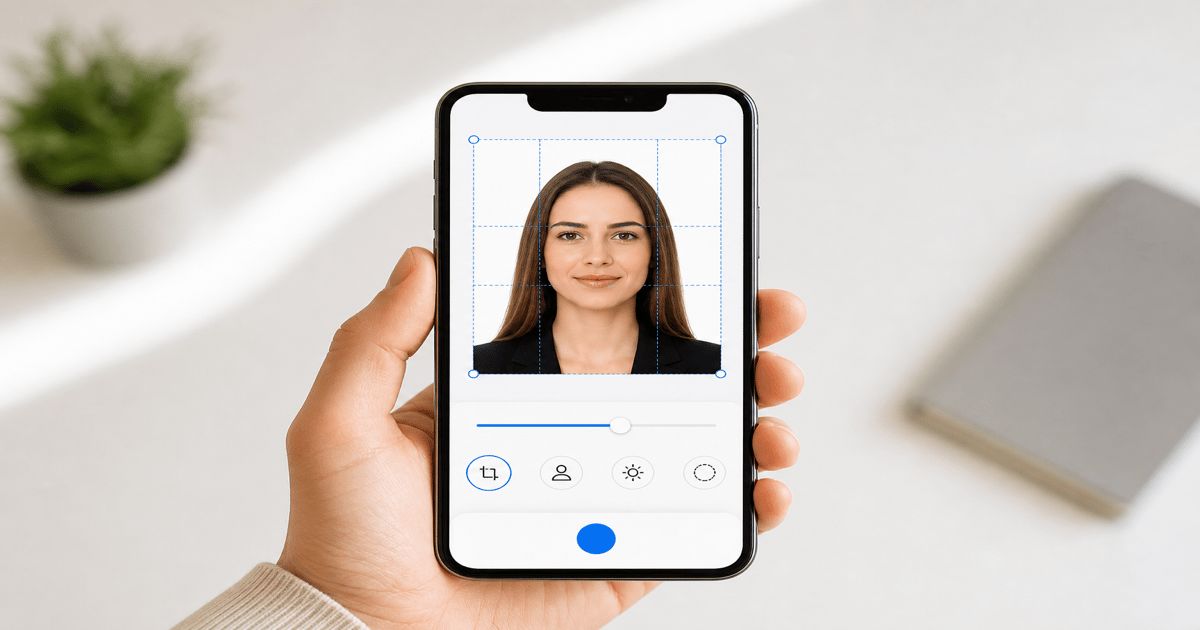
Most free passport photo tools offer two features: background removal and square cropping. Some add a white background overlay. Few verify head size, output exact pixel dimensions, or check file size limits.
Free tools are useful for a rough preview — seeing what your face looks like on a white background. They are not reliable for final submission to the State Department, DS-160, or state ID portals without manual verification.
GetPassPhoto is a paid service starting at $14.95. The difference is spec compliance verification and a 100% acceptance guarantee — neither of which free tools offer.
Where free tools fail compliance checks
Head size: Free croppers center your face but do not measure chin-to-crown height as a percentage of frame. Photos with heads too small or too large pass the free tool and fail at the acceptance facility.
Pixel dimensions: Many free tools output arbitrary resolutions — 500×500, 800×800, or 1080×1080 — none of which match the 600×600 minimum at 300 DPI that U.S. portals require.
File size: DS-82 and DS-160 reject files over 240 KB. Free tools do not compress to this limit. Background color: automated white replacement often leaves gray halos around hair that examiners flag.
When a free tool is good enough
Use a free tool if you need a quick preview before deciding whether to retake your source photo. Use it to check whether background removal looks reasonable around your hair.
Use the GetPassPhoto free photo checker — not a full maker — to scan for obvious compliance issues before committing to a paid format.
Do not use a free tool output as your final submission file unless you manually verify all specs: 600×600 pixels, JPEG under 240 KB, head 50–69% of frame, pure white background, neutral expression.
What you get with a paid service that free tools skip
GetPassPhoto auto-formats background to compliant white, crops to 2×2 at 600×600 pixels, validates head size, compresses to under 240 KB, and delivers both a digital file and a 4×6 print sheet.
The 100% acceptance guarantee means a rejection is our problem, not yours. Forward the rejection notice and receive a full refund. No free tool offers this.
For a direct comparison with "free" online makers, see our guide on online passport photo maker free options.
The real cost of a free tool rejection
A rejected passport photo delays processing by 2–6 weeks. For travel booked on a fixed date, that delay costs far more than $14.95.
Retaking at a pharmacy after a free-tool rejection costs another $15–$20 plus another trip. The "free" tool was not free.
Use free tools for exploration. Use GetPassPhoto for submission.
How to evaluate a free passport photo maker before you trust it
Before exporting from any free passport photo maker, run through a five-point checklist against published U.S. specifications. First, confirm the output is exactly 600×600 pixels — not approximately square, not 512×512, not scaled to fit a social media template. Second, open the file properties and verify JPEG format with file size under 240 KB for online submission portals. Third, overlay a ruler on screen or print a test copy and measure chin-to-crown height; it must fall between 1 inch and 1⅜ inches on a 2×2 print, which translates to 50–69% of the digital frame. Fourth, inspect the background at 200% zoom for gray halos, uneven tone, or leftover shadow from the original wall. Fifth, confirm the photo is recent, color, forward-facing, and unfiltered.
Most free makers pass one or two of those checks and fail silently on the rest. They optimize for a quick visual result that looks passport-like on a phone screen, not for the template an acceptance facility clerk applies at the counter. Users discover the gap only after submission, when a rejection letter cites head size or background color — problems the free tool never flagged because it was never designed to measure them. The tool may display a green checkmark or the word compliant without running any validation against State Department rules, which creates false confidence right when the stakes are highest. Treat any free export as a draft until you or a paid service verify every spec line by line.
GetPassPhoto runs automated checks on every upload at /upload before you pay. Preview the formatted output against the same specs a free maker skips. If the preview looks wrong, swap source photos or retake without losing money on a non-compliant export. Treat free makers as exploratory drafts; treat verified formatting as the submission step. Our preview shows the actual 2×2 crop and white background your examiner will see, not a generic thumbnail centered on your face. That difference prevents the most common free-tool failure mode: a file that looks fine to you and fails the instant an clerk overlays the head-size template.
U.S. digital passport photo specs free tools usually miss
The State Department publishes precise requirements that go beyond square crop and white fill. Digital photos for DS-82 online renewal and DS-160 visa applications must be in color, 600×600 to 1200×1200 pixels, JPEG format, and typically under 240 KB file size. The head height from bottom of chin to top of hair must occupy 50–69% of the total image height. Eyes should be open and visible, mouth closed, expression neutral. Glasses are allowed only without glare; tinted lenses and heavy frames that obscure the eyes are rejected. The background must be plain white or off-white with no shadows, textures, or visible objects — not cream-colored, not light gray, not gradient.
Free passport photo makers rarely encode all of these rules into their export pipeline. Background removal algorithms optimized for social media leave semi-transparent fringe pixels that read as off-white when compressed to 240 KB. Auto-crop centers the face geometrically but does not adjust zoom to bring chin-to-crown into the 50–69% band. Some tools output PNG instead of JPEG, which portals reject outright. Others produce correct dimensions but file sizes of 800 KB or more, triggering instant upload errors on government sites with no explanation beyond file too large. None of this appears in the free tool UI because none of it affects how the preview looks on your phone.
GetPassPhoto maps each requirement to an automated validation step: background replacement to uniform white, head-size measurement with crop adjustment, 600×600 pixel export, JPEG compression under portal limits, and a 4×6 print sheet for in-person DS-11 submission. Upload once at /upload and receive both digital and print-ready files by email within 60 seconds of purchase. That is the spec bundle free makers advertise implicitly but do not deliver. You get one source upload, two output formats, and a guarantee that ties our revenue to your acceptance rather than to ad impressions on a free export page. If a portal rejects the file size or dimensions, you forward the notice and we refund — a workflow free tools have no mechanism to support.
When to stop using free tools and order verified formatting
The decision point is simple: are you submitting this file to a government portal or acceptance facility within the next thirty days? If yes, a free passport photo maker is the wrong final step regardless of how polished the preview looks. Use free tools earlier in the workflow — to test whether your source photo has enough resolution, to preview background removal around curly hair, or to compare framing before you retake. Use GetPassPhoto's free photo checker at /passport-photo-checker to scan for obvious face-detection and lighting issues without payment. When you are ready for a submission-grade file, move to /upload for verified formatting with a 100% acceptance guarantee.
Paid formatting at $14.95 for a digital file or $16.95 for digital plus print sheet costs less than a single pharmacy retake after rejection. It costs less than a missed flight because passport processing slipped two weeks. It costs less than the hourly value of manually resizing, compressing, and re-measuring a free export in Photoshop while guessing whether your chin-to-crown ratio is legal. The guarantee closes the risk gap: if the State Department or an acceptance facility rejects a GetPassPhoto formatted file, forward the rejection notice for a full refund. That refund policy aligns our incentive with yours in a way no ad-supported free maker can replicate. You are paying for verified output, not for another square crop with a white rectangle pasted behind your head.
Free passport photo makers exist because search volume for free is enormous and ad-supported tools monetize traffic without accepting liability for rejections. That business model is fine for experimentation. It is a poor fit for a document that gates international travel. Upload your best source photo to /upload, preview the compliant result, pay once, and download a verified 600×600 JPEG plus 4×6 print sheet. Skip the rejection lottery that free exports quietly create. The entire paid workflow takes under two minutes after you choose a source frame — faster than most free tools once you account for the manual spec verification they leave on your plate. Every GetPassPhoto order includes the 100% acceptance guarantee that free makers structurally cannot offer because they never see your final submission outcome.
Frequently asked questions
Is there a truly free passport photo maker that meets U.S. specs?
No free tool reliably outputs a 600×600 pixel JPEG under 240 KB with verified head size and compliant white background. Manual verification is always required with free tools.
Does GetPassPhoto offer a free option?
We offer a free photo checker that scans for obvious issues. Full formatting with download and the acceptance guarantee requires a paid order starting at $14.95.
Can I use a free background remover and then crop myself?
You can, but you must manually verify head size, pixel dimensions, file size, and background color. Most people miss at least one spec. GetPassPhoto automates all checks.
Why do free passport photo makers exist if they don't guarantee acceptance?
They generate ad revenue from high-intent search traffic. They solve part of the problem (background, crop) but not the compliance verification that prevents rejections.
GetPassPhoto services
Related guides
- Online Passport Photo Maker Free: Limits, Risks, and Better Options
Searching for an online passport photo maker free? Compare what free makers deliver vs. a compliant paid format with acceptance guarantee.
- How to Make a Passport Photo Online (Compliant in 60 Seconds)
Make a passport photo online from any selfie. Auto-format to 2×2, white background, and correct head size for DS-11, DS-82, and DS-160.
- Turn a Photo Into a Passport Photo: Background, Crop, and Size
Turn any existing photo into a compliant passport photo. Background replacement, 2×2 crop, head sizing, and file export for DS-11 and DS-82.
Get your compliant passport photo now
Upload any photo from your phone. We format the background, crop, and sizing to US specs — digital 2×2 file plus 4×6 print sheet in under 60 seconds.
Upload Your Photo →