
How-To
How to Create a Passport Photo Online (Compliant 2×2 in 60 Seconds)
Create a passport photo online from any phone picture. Step-by-step guide to background, crop, head size, and download for DS-11, DS-82, and DS-160.
Updated May 30, 2026
Get your compliant passport photo now
Upload any photo from your phone. We format the background, crop, and sizing to US specs — digital 2×2 file plus 4×6 print sheet in under 60 seconds.
Upload Your Photo →What it means to create a passport photo online
Creating a passport photo online means starting with any recent picture — usually a phone selfie or a photo someone else took — and converting it to a compliant 2×2 inch image with a plain white background, correct head size, and export settings that U.S. government portals accept. You are not taking the picture inside a government system; you are formatting an existing image to published State Department specifications.
The create intent differs slightly from make or turn into searches. Users who say create often want a clear sequence: capture source photo, upload, adjust, download, submit. They may never have formatted a passport image before and need confidence that the online output matches what acceptance facilities expect on paper and what DS-82 expects as a JPEG upload.
GetPassPhoto is a paid private service — not affiliated with the U.S. government. At getpassphoto.com/upload you upload once, preview the formatted result before payment, and receive a digital 600×600 pixel file plus a 4×6 print sheet by email within 60 seconds. Every order includes a 100% acceptance guarantee.
U.S. specs your online passport photo must meet
Before you create a passport photo online, know the target. Printed photos measure 2×2 inches (51×51 mm). Head height from chin to top of hair must occupy 50–69% of the image. Background must be plain white or off-white with no shadows, textures, or visible objects. Digital submissions use color JPEG at minimum 600×600 pixels, typically under 240 KB for DS-82 and DS-160.
Expression must be neutral with mouth closed and eyes open. Glasses are allowed only without glare; tinted lenses fail. The photo must be taken within six months of your application date — background replacement cannot fix an outdated image. Filters, beauty mode, and AI face alteration are rejection risks under current guidance.
Our 2026 passport photo requirements page lists the full measurement table. GetPassPhoto validates head size, background color, pixel dimensions, and file size automatically on every upload so you do not need to memorize every line of the spec sheet.
Step 1: Capture a usable source photo
Stand or sit in front of a plain light-colored wall. Face the camera directly with shoulders squared. Remove hats and non-prescription tinted glasses. Keep your expression neutral and mouth closed. Hold the phone at eye level — arm's length with the rear camera produces better resolution than a low-angle selfie.
Use indirect window light from the side rather than overhead-only bulbs or direct sun behind you. Overhead lighting creates under-eye shadows; backlighting silhouettes your face. Take ten to fifteen frames in burst mode and pick the sharpest with even lighting.
For infants and newborns, lay the child on a white sheet and photograph from above — see our infant passport picture guide for flat-lay details. The same upload flow at getpassphoto.com/upload handles adult and infant source photos.
Step 2: Upload and create the formatted passport photo
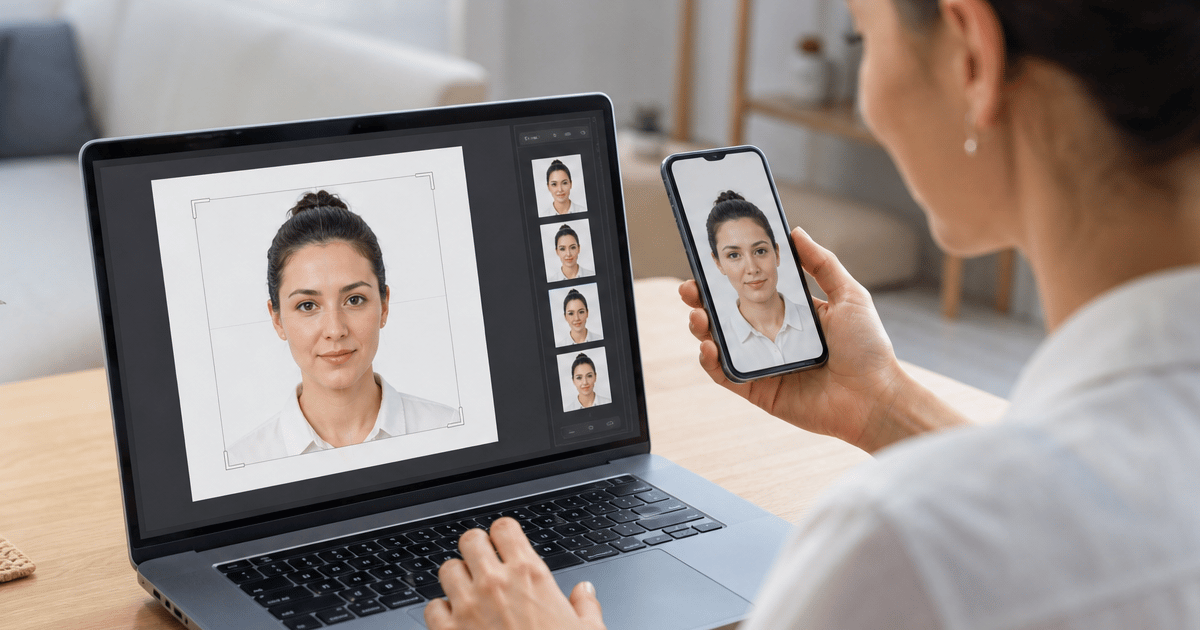
Open getpassphoto.com/upload on your phone or computer. Select your best source photo from the gallery or take a new one in the browser. Our pipeline detects the face, replaces the background with compliant white, crops to 2×2 at 600×600 pixels, and measures head height against the 50–69% rule.
You preview the formatted passport photo on the verified screen before checkout. Inspect hairline edges, shoulder line, and overall head size at full zoom. If the head is too small or cropped awkwardly, retake the source photo rather than forcing a bad frame through — preview is free.
Disable portrait mode, night mode, and beauty filters before capture. These features blur background edges and alter skin tone in ways that survive export and trigger rejection even after white background replacement.
Step 3: Choose digital, print, or both
After payment, choose the package that matches your submission path. The digital-only option at $14.95 delivers a JPEG sized for DS-82 online renewal, DS-160 visa applications, and most state ID portals. The Photo + Print bundle at $16.95 adds a 4×6 sheet with six identical 2×2 photos for DS-11 in-person acceptance facilities.
Both files arrive by email within 60 seconds. No account is required. Save the digital attachment directly to a folder — do not screenshot the preview or re-save through a messaging app, which reduces quality and can push file size above portal limits.
One order covers every use case from a single source upload. Store the digital file for future visa or renewal needs within the six-month recency window.
Step 4: Submit your created passport photo
For DS-82 online renewal, log into the State Department portal and upload the digital JPEG from your order confirmation email. Upload the original attachment without re-compression. The file is already under 240 KB at 600×600 pixels.
For DS-11 first-time or in-person renewal, print the 4×6 sheet before your acceptance facility appointment. Upload the same file to Walgreens, CVS, or Walmart as a standard 4×6 photo order for one-hour pickup, or print at home on photo paper at 100% scale with no fit-to-page option.
Attach one printed 2×2 photo to the application as directed by the acceptance agent. Bring a spare identical copy. The print sheet includes six copies from one order.
Create passport photo online vs. pharmacy booth
Pharmacy counters charge $15–$20 and require an in-person visit during store hours. Creating a passport photo online lets you shoot at home, retry unlimited times before paying, and receive both digital and print outputs in one order.
Online formatting also avoids the fixed short session window at drugstores — useful for infants, toddlers, and anyone who needs multiple attempts to get a neutral expression. You select the best frame from a home session; the service formats it to spec.
Free online croppers can remove backgrounds but rarely verify head size or output exact portal dimensions. The rejection risk is higher with unverified free tools. GetPassPhoto closes that gap with automated validation and a money-back guarantee on rejections.
Which forms accept a passport photo you create online
DS-82 online passport renewal accepts a digital JPEG uploaded directly to the State Department website. DS-160 nonimmigrant visa applications use similar square JPEG specs. Many state REAL ID and driver license portals accept the same 600×600 minimum with white background.
DS-11 applications submitted in person require a printed 2×2 photo attached to the paper form. Global Entry, TSA PreCheck, and other trusted traveler programs often accept the same 2×2 spec — confirm each program's current instructions before submitting.
One GetPassPhoto order produces files for all of these paths. The digital JPEG and 4×6 print sheet share the same formatted crop — no need to create separate versions manually.
Common mistakes when you create a passport photo online
Using a photo older than six months is the most overlooked rejection reason. Create a fresh source photo before uploading even if an older image looks similar. Recency is verified by human review, not by metadata alone.
Submitting a free tool export without verifying file size causes instant DS-82 upload failures. Phone originals often exceed 3 MB. GetPassPhoto compresses to under 240 KB while maintaining the 600×600 pixel minimum.
Printing the 4×6 sheet at the wrong scale produces 2×2 photos that measure incorrectly on paper. Set the printer to 100% with no fit-to-page. If home printing mis-scales repeatedly, use pharmacy online upload for the same print sheet file.
Skipping the preview step before payment means you might download a crop with hair cut off or shoulders too tight. Always inspect the verified preview at full zoom — retake and re-upload at no cost until the preview looks correct.
Why GetPassPhoto when you create a passport photo online
Head size verification separates compliant output from square crops that look correct on a phone. Our system locates chin, crown, and shoulders, calculates head height as a percentage of frame, and adjusts crop before background processing. You see the corrected preview before paying.
Background replacement runs after crop confirmation. We replace wall color, clutter, and outdoor scenery with uniform white meeting State Department off-white specifications without altering facial features or expression. Background and crop-to-spec are standard industry steps; AI face alteration is not part of our pipeline.
The 100% acceptance guarantee means a rejection is our problem, not yours. Forward the rejection notice from the State Department, acceptance facility, or visa portal for a full refund. We are a paid private service starting at $14.95 — not a government site.
After you create your passport photo: storage and reuse
Save the digital JPEG and print sheet in a dated folder labeled with the day you took the source photo. When the six-month recency window approaches for a future application, you will know exactly when to create a new passport photo online.
Family members can use the same workflow independently — upload and checkout once per person at getpassphoto.com/upload. Each order includes digital files plus print sheets with the same guarantee.
Compare the formatted preview to the State Department spec sheet before submitting anywhere. Head height, background whiteness, and square crop are visible at full zoom. If any element looks off, retake your source photo and re-upload — you pay only when you download the final compliant files from getpassphoto.com/upload.
Frequently asked questions
Can I create a passport photo online with my iPhone?
Yes. Take a source photo with your iPhone, open getpassphoto.com/upload in Safari, and complete the flow without installing an app. HEIC files are accepted and converted during processing.
How long does it take to create a passport photo online?
Upload and preview take about a minute. After payment, digital and print files arrive by email within 60 seconds.
Does a passport photo created online work for DS-82 renewal?
Yes. GetPassPhoto outputs a 600×600 pixel JPEG under 240 KB sized specifically for the DS-82 online portal.
What does it cost to create a passport photo online?
GetPassPhoto charges $14.95 for a digital 2×2 file or $16.95 for digital plus a 4×6 print sheet — comparable to or less than most pharmacy options.
GetPassPhoto services
Related guides
- How to Make a Passport Photo Online (Compliant in 60 Seconds)
Make a passport photo online from any selfie. Auto-format to 2×2, white background, and correct head size for DS-11, DS-82, and DS-160.
- Turn a Photo Into a Passport Photo: Background, Crop, and Size
Turn any existing photo into a compliant passport photo. Background replacement, 2×2 crop, head sizing, and file export for DS-11 and DS-82.
- Make a Photo 2×2: Passport Size Crop, Pixels, and Print Guide
Make any photo 2×2 inches for U.S. passport use. Correct aspect ratio, 600×600 pixels, head size rules, and print instructions.
Get your compliant passport photo now
Upload any photo from your phone. We format the background, crop, and sizing to US specs — digital 2×2 file plus 4×6 print sheet in under 60 seconds.
Upload Your Photo →